
How to Prepare Back-to-Business Client Emails with Google Sheets
Prepare clear back-to-business client emails with Google Sheets and Gmail using a clean list, useful context, and personalized messages.
Public version available Download now
Go from your Google Sheet to Gmail in a few clicks. No scripts and no complex setup.
30-second install • No scripts • Works with Gmail and Google Workspace
Extension preview
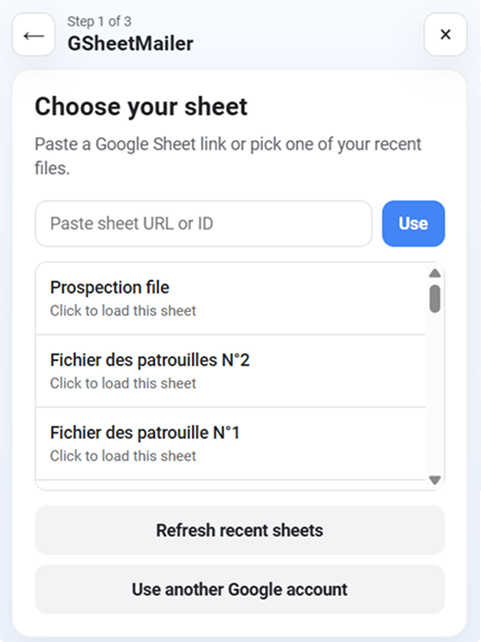
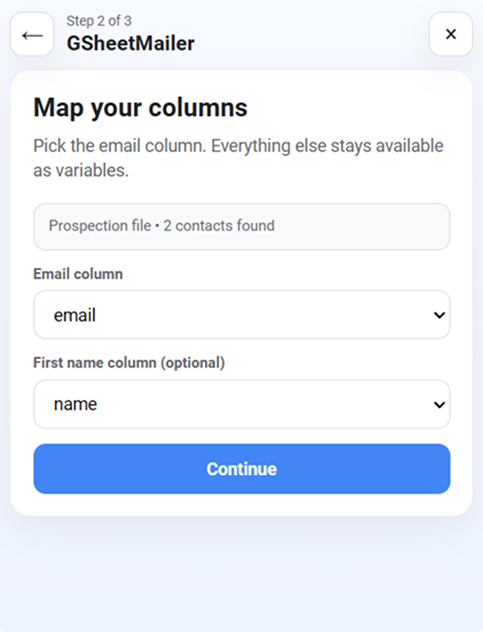
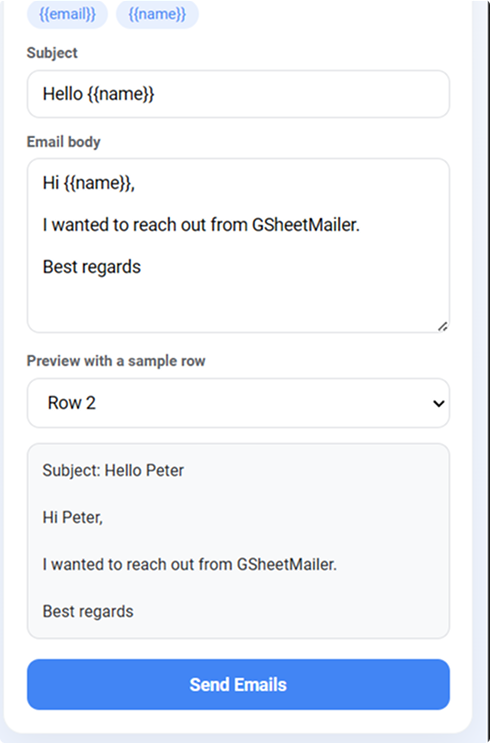
Clear interface, guided sending in 3 steps.
Used by lean, hands-on teams
A short walkthrough of the workflow before you start.
Watch on YouTubeThree steps. Zero friction.
Securely connect the Google account you already use with Gmail.
Select the sheet that contains your recipients and personalization fields.
Review your message and send tailored emails without scripts or setup headaches.
Start quickly with a flow that is easy to follow.
Use spreadsheet data to personalize each email.
No bloated UI and no unnecessary distractions.
Works with familiar Google tools
Fewer steps between your sheet and Gmail sending.
Built for non-technical users
Fewer steps between your sheet and Gmail sending.
Fast to set up and easy to trust
Fewer steps between your sheet and Gmail sending.
"We launched our first campaign in under 10 minutes. The flow is crystal clear."
Sophie, local agency
"Finally a Google Sheets to Gmail workflow my team can run without technical help."
Karim, nonprofit
"Simple, fast, and reassuring. Exactly what we needed for follow-ups."
Lucie, freelancer
A simple, transparent, and reassuring Google workflow.
Read Privacy PolicySecure Google authentication with clear permission control.
Your contacts and messages stay inside your Google environment.
Privacy-first approach designed for modern teams.
Clear documentation with no vague promises and no confusing jargon.
Fast setup with a clear and lightweight workflow.
Install the ExtensionCheck our practical guides for using the extension easily.
Prepare clear back-to-business client emails with Google Sheets and Gmail using a clean list, useful context, and personalized messages.
Organize summer prospect follow-ups with Google Sheets and Gmail while keeping every email relevant, concise, and personalized.
Learn how to prepare personalized post-event thank-you emails with Gmail and Google Sheets using the context of each conversation.